Who owns it, why it waits, how it ended. One screen.
Orygent starts a small team’s daily work from a single line, shows who it is waiting on, and takes every step that involves money or a contract to the person who may approve it.
Orygent is a work platform where micro and small businesses track their work on one screen: every item’s owner, the reason it is waiting and its outcome are visible, and steps that involve money or contracts move forward only with an authorised person’s approval.
Pay Harbor Packaging €2,480.00
Rule: payments over €500 need approval
Asked by Ece · approver Murat
Second check required
One line is typed. Ece writes the invoice as one sentence; no form.
Orygent reads it, Ece confirms. Type, amount and date are read out. Nothing opens until Ece confirms.
An approval card goes to the right person. A rule stops payments over €500; Murat sees the whole card and approves with a second check.
It is done and recorded. The receipt is attached and the work closes. Who did what, and when, stays on record.
Fictional company, scripted example: nothing is sent, paid or stored.
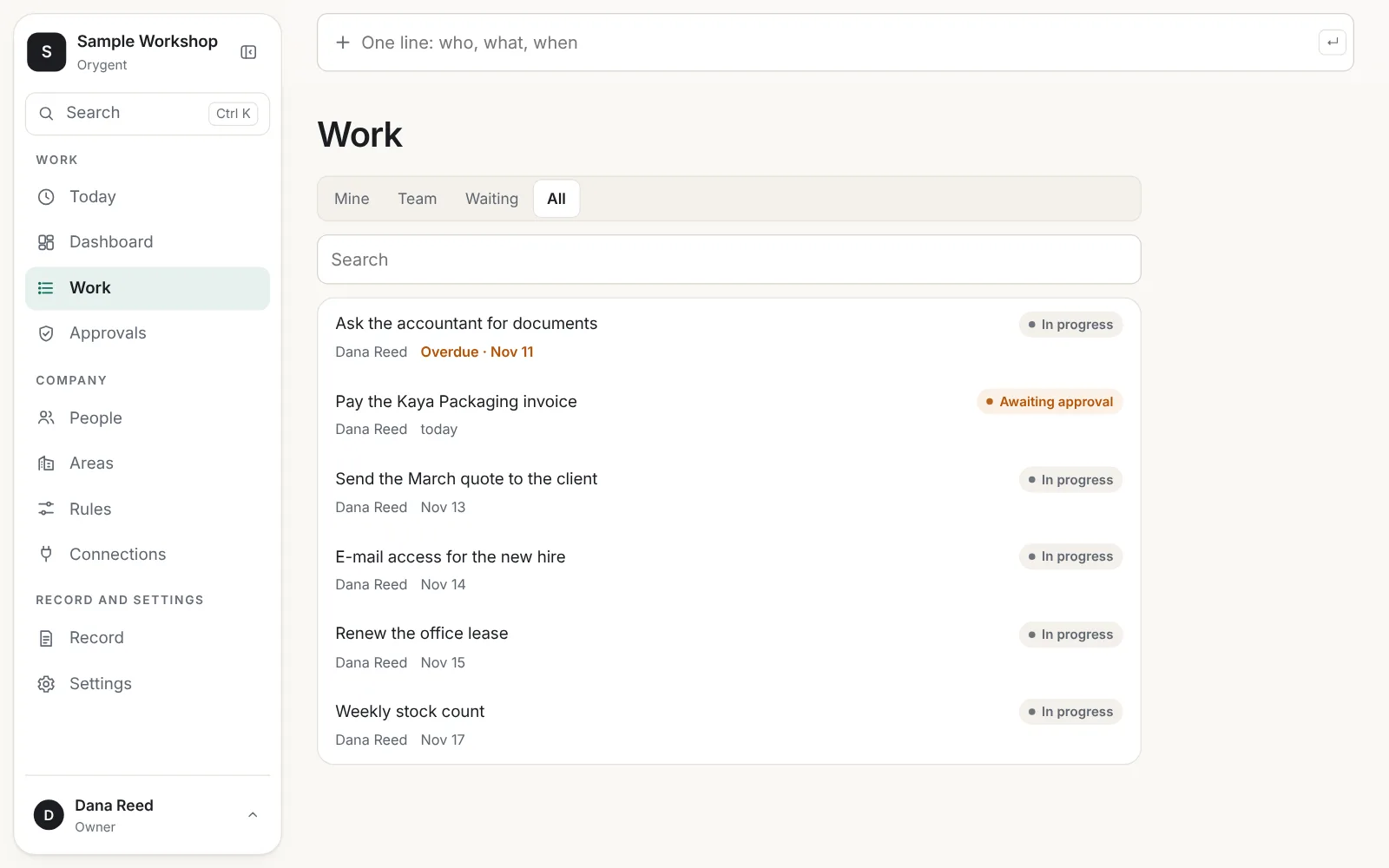
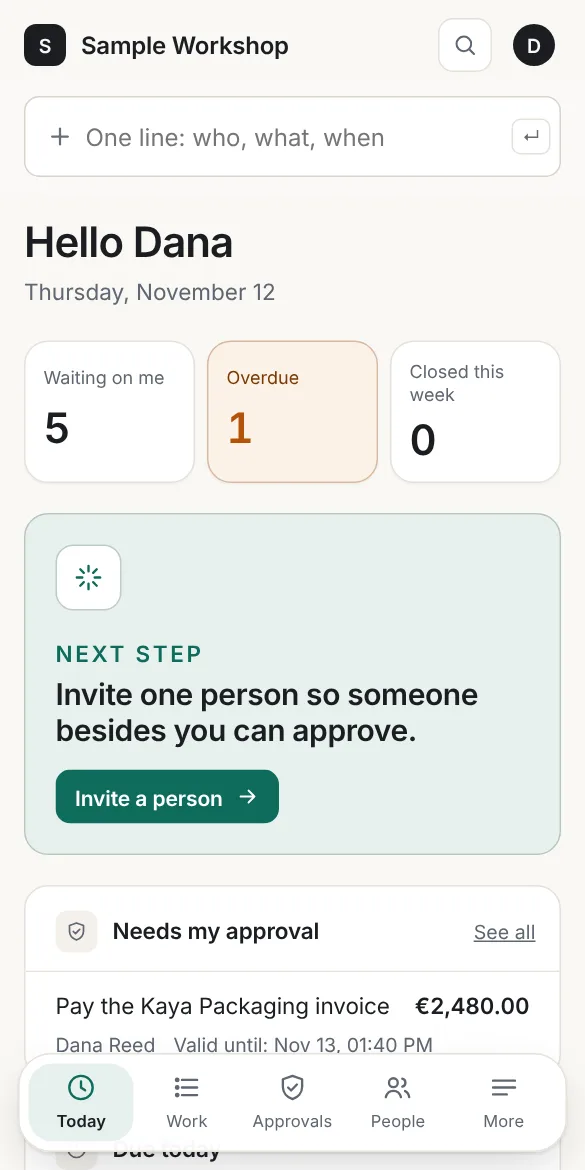
What does it do?
- Every item gets one owner, one due date and one status.
- It says why waiting work is waiting: an approval, information or a handover.
- It takes money, contracts and outside commitments to approval.
- Who did what, and when: it keeps a record that cannot be edited.
What does it not do?
- It does not make financial or legal decisions.
- It does not approve on behalf of a person.
- It does not move money.
AI assists with drafts, summaries and suggestions; a person decides.
What does a morning look like?
A supplier invoice arrives. It closes, recorded, in three steps.
You type one line
“Pay the Harbor Packaging invoice, €2,480, Friday.” Date, amount and type are read out; nothing opens until you confirm.
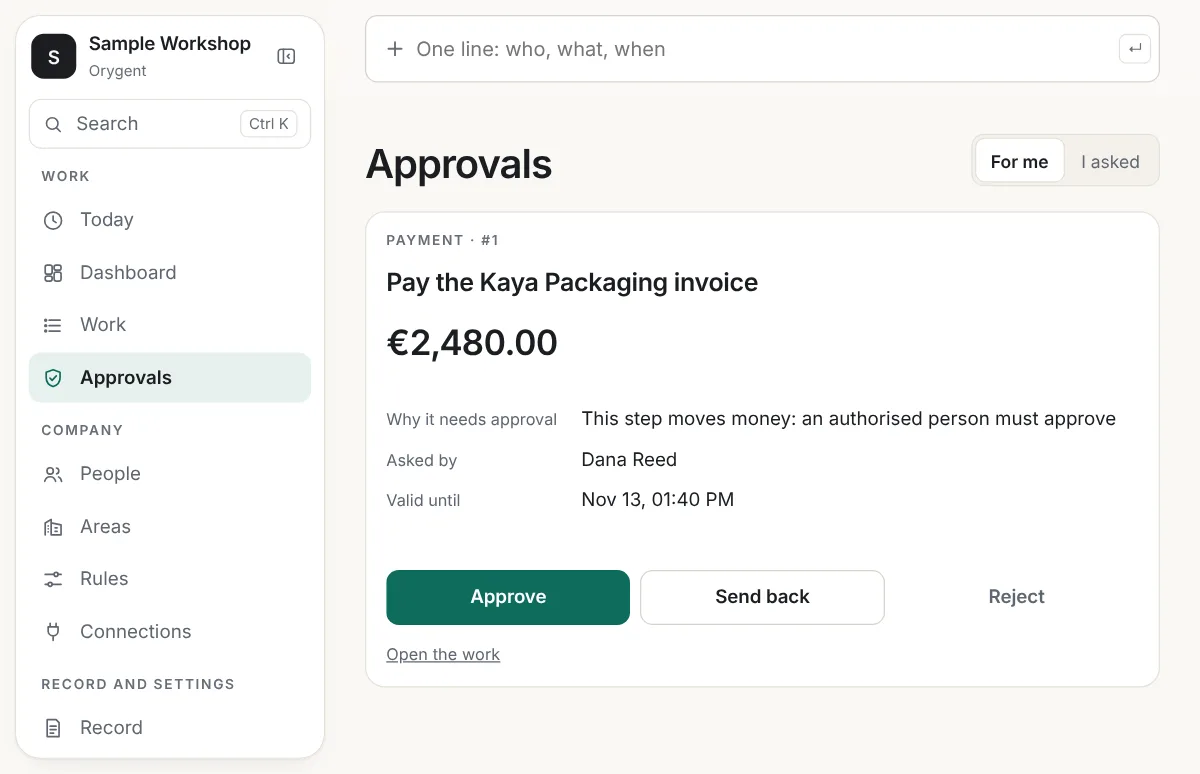
An approval card goes to the right person
What is being paid, to whom, how much, which rule stopped it and until when it is valid: all on one card.
It is done and recorded
The person who pays attaches the receipt. The work closes; who approved and when it was done stays on record.
Why is the approval card built this way?
An approval is a deliberate decision, not a quick tap. That is why the card keeps a fixed layout.
- Buttons stay off until the whole card has been shown; there is no approving from a list.
- An approval that involves money asks for a second verification.
- If the content changes after the request, the approval becomes invalid and is asked again.
- You cannot approve your own request; a one-person company uses a second verification instead.
Which work is it for?
Five jobs small businesses repeat every week come ready to use.
Customer requests
Own the incoming request, answer it and record the outcome.
Start with this flow →Quote → order → delivery
Prepare the quote, get it approved, follow it to order and delivery.
Start with this flow →Collections
Give every receivable an owner and make delays visible.
Start with this flow →Supplier payments
Check the invoice, get the payment approved, attach the receipt.
Start with this flow →Document collection
Ask your accountant or client for documents and see what is missing.
Start with this flow →Where is my data, and who sees it?
Each company’s data is separated in the database by its own access rules. The record chain is verified whenever it is exported.
Add your first piece of work now.
Setup is three steps and one question.